relai — pick up where you left off
One workspace for your AI coding sessions — search, resume, hand off, and keep an eye on spend.
Find the session. Keep the thread.
I use different AI coding tools for different jobs. Remembering which assistant worked on a project, finding the right conversation, and explaining everything again became work of its own. Relai brings those sessions together so I can pick up where I left off.
It reads sessions from Claude Code, Codex, opencode, Gemini, Cursor, Kiro, Cline, Pi, Aider, and Qwen. Search across transcripts, filter by project or tool, rename sessions, and archive the ones you don't need in your everyday view.
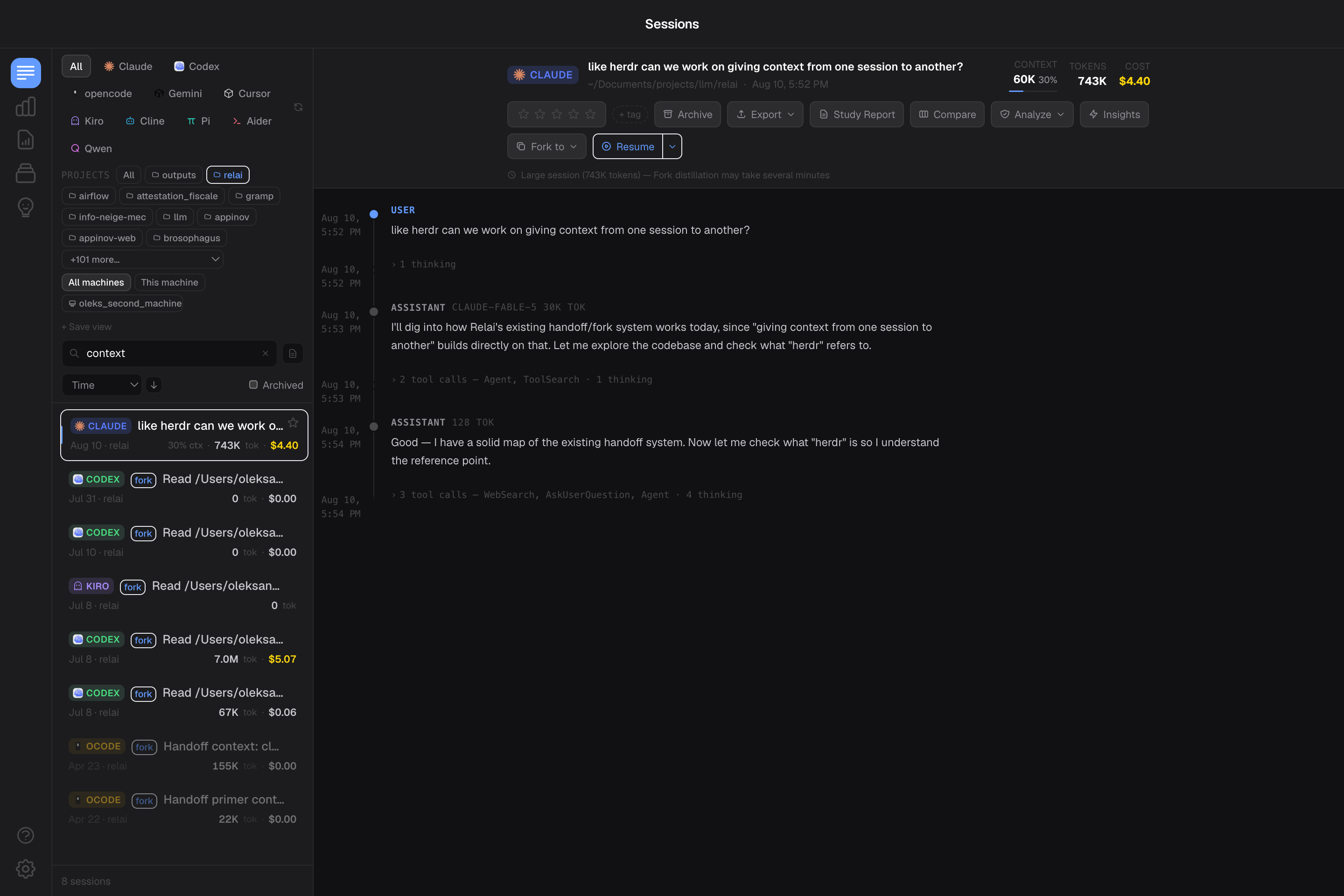
Resume, hand off, or start fresh
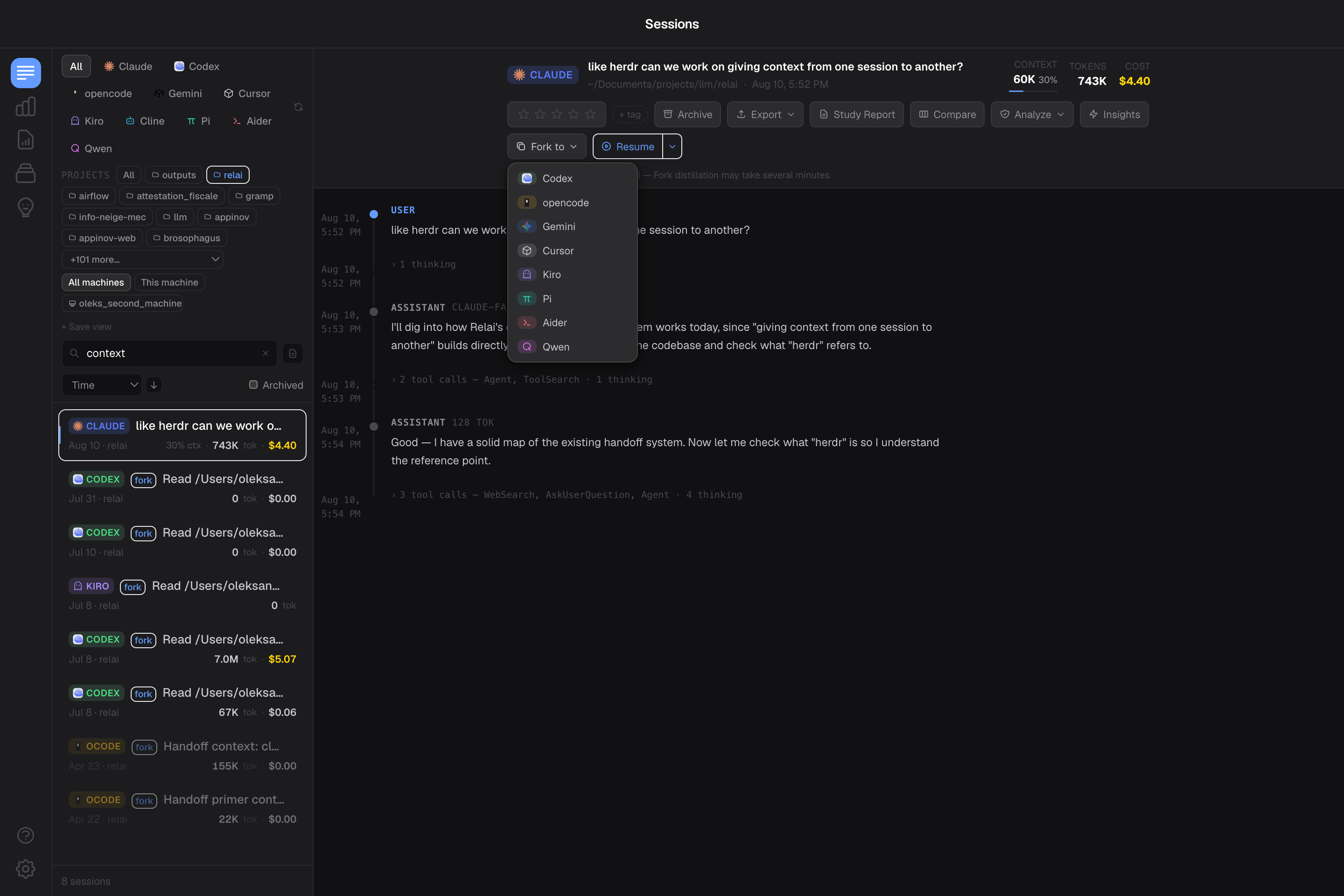
Resume supported sessions in the built-in terminal or your external terminal. To change assistants, relai prepares a handoff with a session summary, project memory, and the recent conversation, then opens the target tool with that context. It's useful when you reach a usage limit, want a second approach, or return to a project after a few weeks away.
Latest development: start fresh with context.The current development build also lets you open a new session in the same tool, carrying over what matters from the previous conversation.
Understand the cost of your work
Consumption charts break down tokens and estimated spend by tool, model, project category, and time. Monthly budgets and alerts help you keep track of spend. The app also surfaces context-window and plan-usage signals from supported tools, including reset times when available. Cost estimates use model pricing and cache usage recorded by the tools.
Separate prototypes from work you want to report, choose which sessions to include, and export CSV or JSON. Live agent monitoring distinguishes active work from open, idle terminals, while the menu-bar view keeps activity and monthly spend close at hand.
See which agents are working
The live monitor checks running CLI processes to distinguish active agents from terminals waiting for your input. Provider-status monitoring adds service signals for Claude, OpenAI, and Gemini. The menu-bar view keeps recent sessions and monthly spend within reach while you're working elsewhere.
Turn sessions into something useful
Session scans look for potential security, performance, and architecture problems, with explanations and suggested next steps. Turbo analysis compares reviews from multiple available models. Review findings in the app, start a fix, and track its progress.
Send scan findings to Linear and close the linked issue when you mark a report resolved. Export notes to Obsidian, Notion, or Readwise, or turn a session into a learning report with key concepts and a study plan.
Local by default, connected by choice
The dashboard reads your existing local session records. AI summaries, handoffs, and reviews can use your configured coding CLI or a local Ollama model. Cloud AI actions send context to the selected provider; local-model routing can fall back to a cloud CLI when needed.
Optional encrypted cloud sync carries session files between your machines. Opt-in team sharing sends session metadata such as titles, projects, tags, and costs. These are separate choices from simply browsing local sessions. Product analytics excludes transcript content and can be turned off in Preferences.
Try relai
Download the macOS app for Apple Silicon, or visit relai.fyi for the demo and current plans. The latest public release linked here is v0.32.0; the fresh-session continuation described above is newer development work.
Feedback, ideas, and partnerships welcome — reach out.